Short answer: Beyond placing trades, AlgoVesta’s MCP server lets your AI assistant read your closed-trade history and compare performance across your connected exchanges — so you can ask, in plain language, “which of my exchanges performs better?” or “how did my Telegram signals do last month?” This is analysis, not action: the AI reads data you already have and summarizes it; it does not decide or place any trade on its own. Available to Claude, ChatGPT, Cursor and any MCP-capable assistant, across 16 crypto exchanges and MetaTrader 5.
Most people think of AI trading agents as execution tools — connect them, and they place orders. That’s true, but it’s only half of what an MCP connection actually gives you. The same link that lets your AI assistant open a position also lets it look backward: read your trade history, compare how different exchanges or signal sources have performed, and answer questions a spreadsheet would take you twenty minutes to build. That’s a trading journal you talk to instead of maintain.
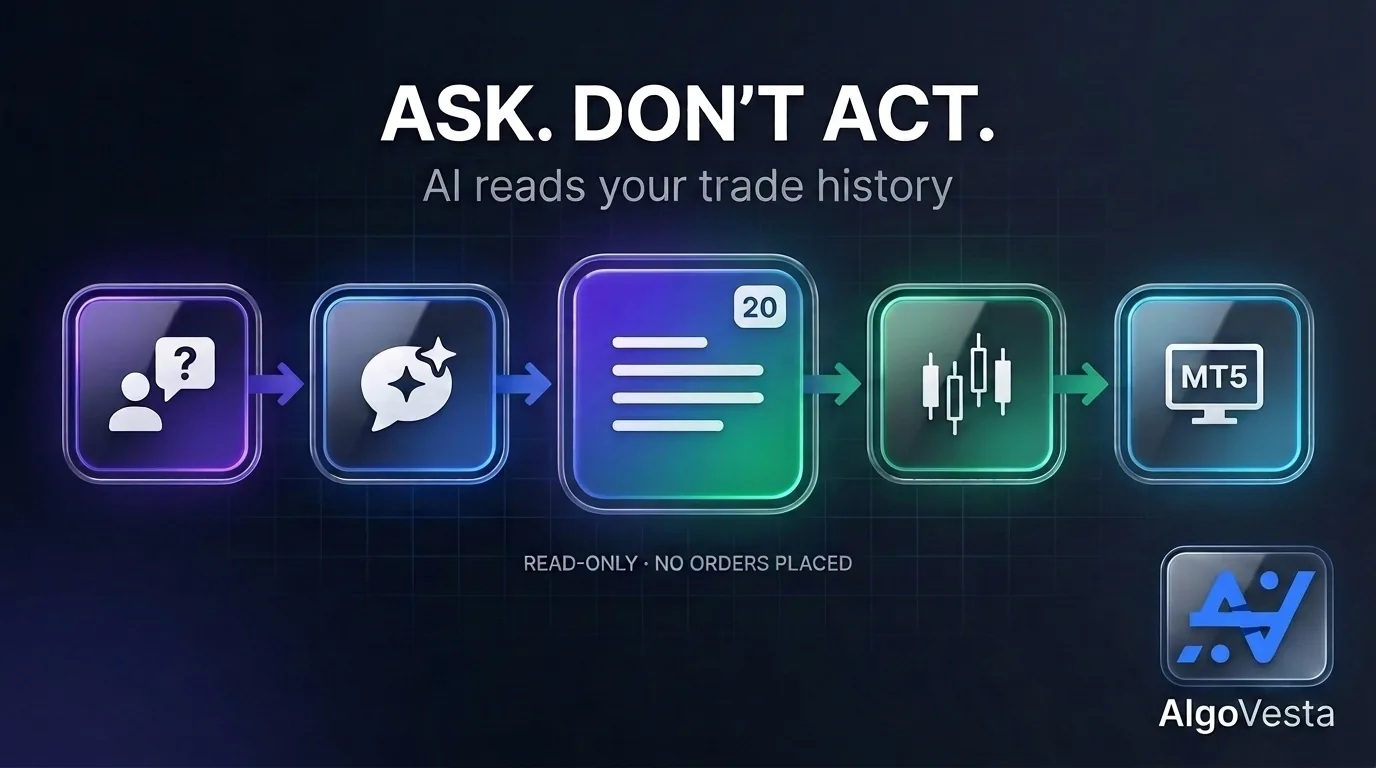
Two very different jobs: acting vs. analyzing
It’s worth separating these clearly, because they carry different weight. Execution is your AI assistant placing an order — a real action with real consequences, gated by a server-side policy wall it cannot override. Analysis is your AI assistant reading data that already exists — closed trades, balances, performance across venues — and summarizing it in language. Nothing changes in your account when you ask an analytical question. You’re not exposed to any new risk by asking your AI “how did I do last month” the way you would be by asking it to open a position.
This distinction matters because it’s exactly why the analysis side is so low-friction to use. There’s no policy wall to configure, no risk limit to set — you’re just asking questions about your own history. It’s the same principle behind why AlgoVesta's AI never decides your trades, only executes them when it comes to placing orders: the AI's authority is always bounded, whether it's reading your history or requesting a trade.
What you can actually ask
With trade-history and cross-exchange comparison tools available through MCP, the kinds of questions that used to require exporting CSVs and building a spreadsheet become a single sentence:
- “Compare my performance on Bybit versus Binance over the last 30 days.”
- “Which of my Telegram channels has the best win rate this month?”
- “Show me my closed trades on MetaTrader — what’s my average hold time?”
- “Did my TradingView strategy perform differently on trending days versus choppy ones?”
- “What’s my total realized PnL across all 16 exchanges this quarter?”
Your assistant reads across every connected venue in one call and gives you a plain-language answer, pulled from your actual trade history — not a guess, not a general market comment.
Why this matters more than it sounds
Most traders who run signals across multiple exchanges or multiple channels genuinely don’t know which source is carrying their account and which is dragging it down. That information exists — scattered across exchange dashboards, MT5 terminal logs, and your own memory — but almost nobody actually assembles it, because doing it manually is tedious. A conversational interface removes the tedium entirely. You ask; it’s answered; the decision about what to do with that information is still entirely yours.
This is also where having crypto and MetaTrader in one connection pays off in a way execution alone doesn’t: a single question can span both markets. “Am I doing better on crypto or forex this month” is a question two separate tools can’t answer together — one AI connection, reading one unified data set, can.
This is not investment advice
One important line: when your AI assistant summarizes your trade history, it is reporting facts about the past — it is not recommending what to do next. If you ask “should I close my Bybit account and move everything to Binance,” you’re asking for an opinion, and any answer is exactly that — an opinion, not a signal to act on. The data-reading tools show you what happened; they were not built to tell you what to do. Treat the analysis as a mirror, not a forecast.
How to use it
If you already have an MCP connection to AlgoVesta, there’s nothing new to set up — the same link that handles execution also handles analysis. Ask your assistant a question about your history the same way you’d ask it to check your portfolio or simulate an order. If you haven’t connected yet, an MCP link starts in paper mode by default, so you can explore both the execution tools and the analysis tools with a $5,000 virtual balance before anything real is involved. New to MCP entirely? Start with what an MCP trading server is, or see what a full conversational workflow looks like in trade by talking to your AI.
The bottom line
An MCP connection to AlgoVesta isn’t just a way to place trades faster — it’s also the fastest trading journal you’ll ever use. Ask your AI assistant what’s actually working across your exchanges, your channels, and both crypto and forex, in plain language, without exporting a single spreadsheet. The account stays exactly as it was before you asked; only your understanding of it improves.
Connect your AI assistant to AlgoVesta →
Learn more: the live demo.
Disclaimer. AlgoVesta is signal-routing and execution infrastructure. It does not generate signals, does not provide investment advice or trading recommendations, and does not hold, receive, or move client funds. AI-assisted analysis reflects historical account data only and is not a recommendation to buy, sell, or otherwise trade. Crypto and forex trading carry substantial risk of loss; leveraged positions may be fully liquidated. Past performance does not guarantee future results.
The authoritative version of this article is the English original; translations are provided for convenience.
Ready to automate your trading workflow?
Connect your exchange with secure, trade-only API keys.
Start Free — 7 DaysRelated comparisons: Mudrex · AlgoWay · PickMyTrade · Capitalise.ai